Always-On Extras
Novagram Info
Key profile info in one window
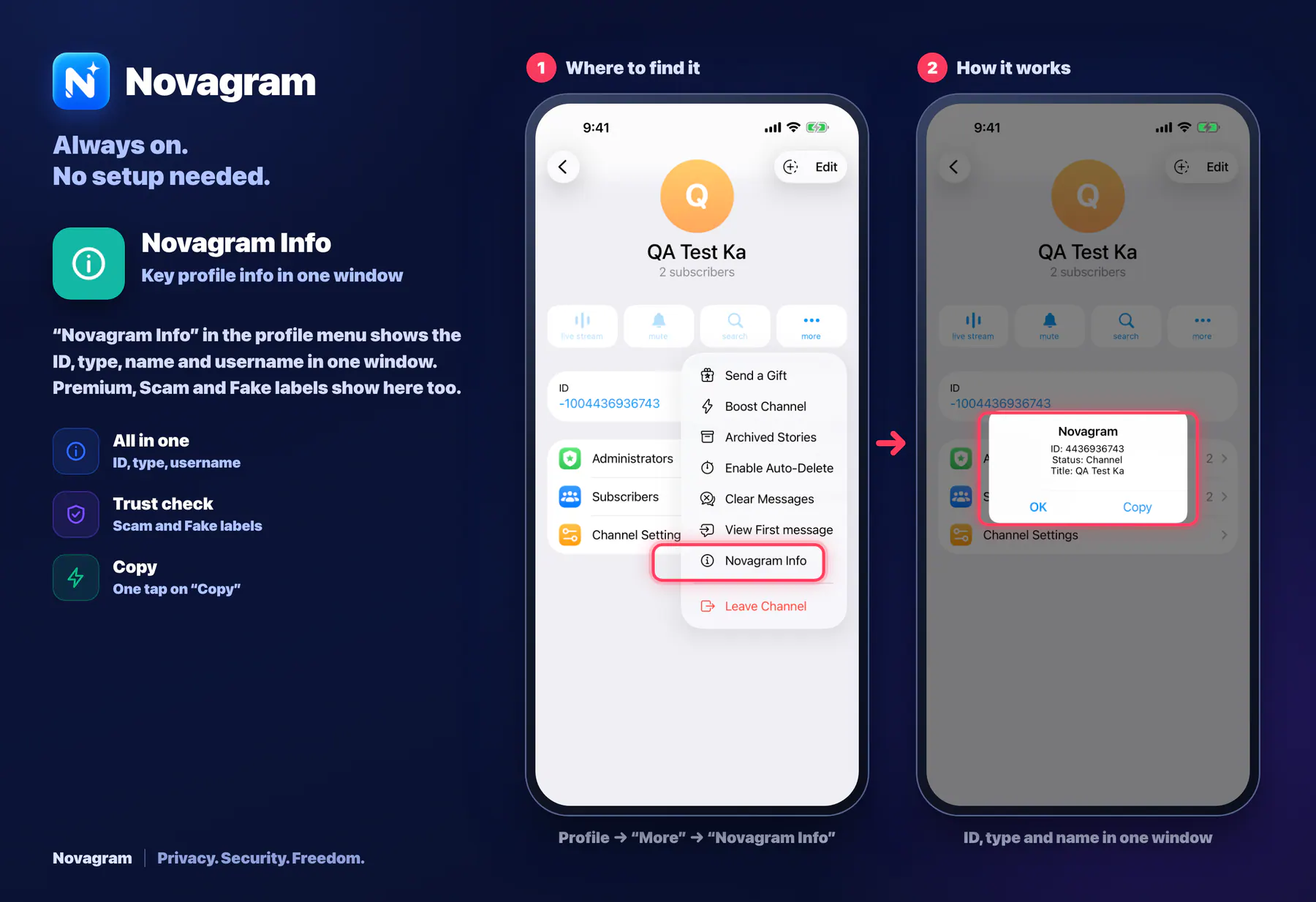
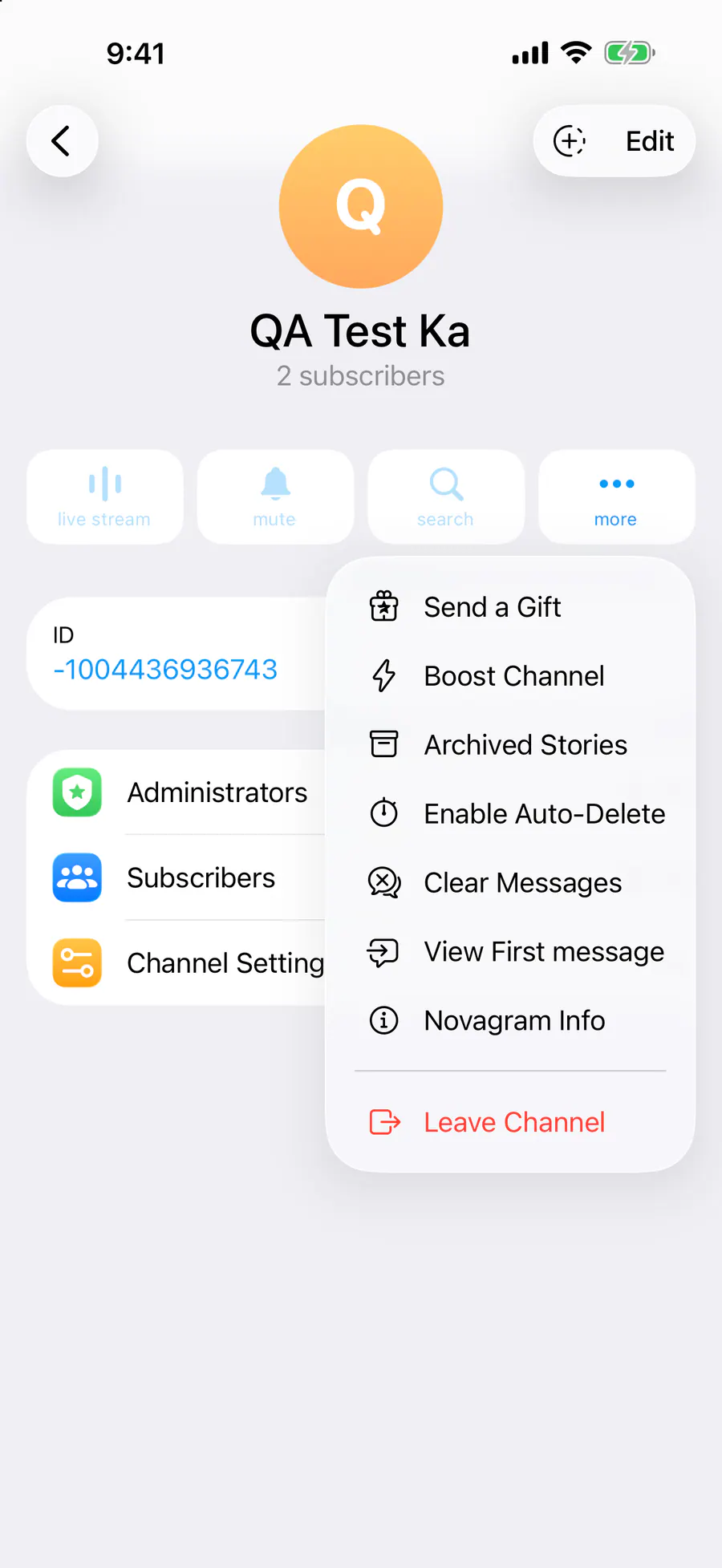
“Novagram Info” in the profile menu shows the ID, type, name and username in one window. Premium, Scam and Fake labels show here too.
How it looks in the app
Step by step: the red frame shows where to tap.
Profile → “More” → “Novagram Info”
1 / 2
Benefits
All in one
ID, type, username
Trust check
Scam and Fake labels
Copy
One tap on “Copy”
How to turn it on
Open the chat and tap its name at the top.
In the profile, tap “More”.
Choose “Novagram Info”.
Result
A window opens with the ID, type and name. Tap “Copy” to copy them.
Card to share
A ready-made image to explain the feature to your friends.
WebP, 1800×1234Download the card