Always-On Extras
Copy Chat ID
Any chat's ID in one tap
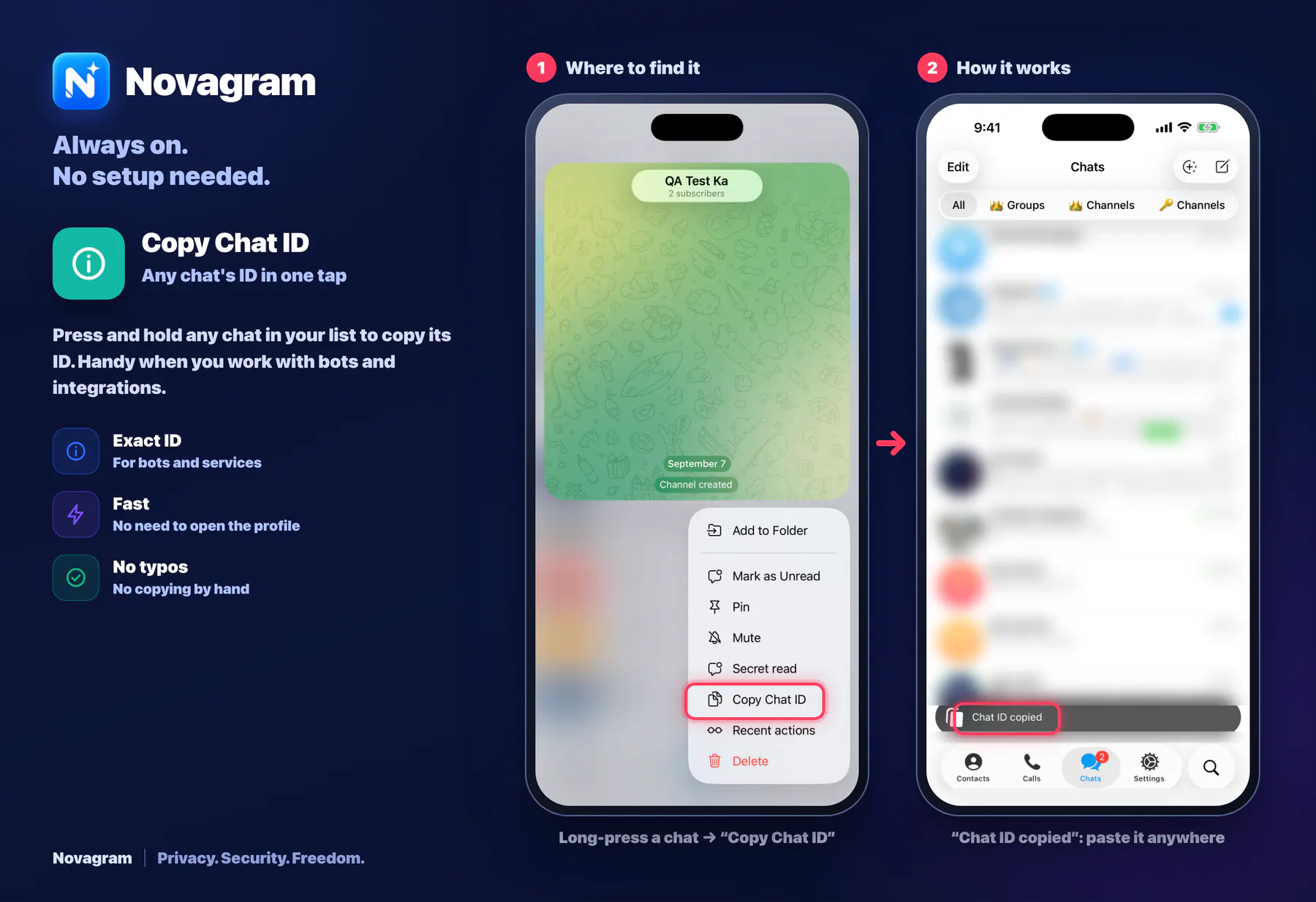
Press and hold any chat in your list to copy its ID. Handy when you work with bots and integrations.
How it looks in the app
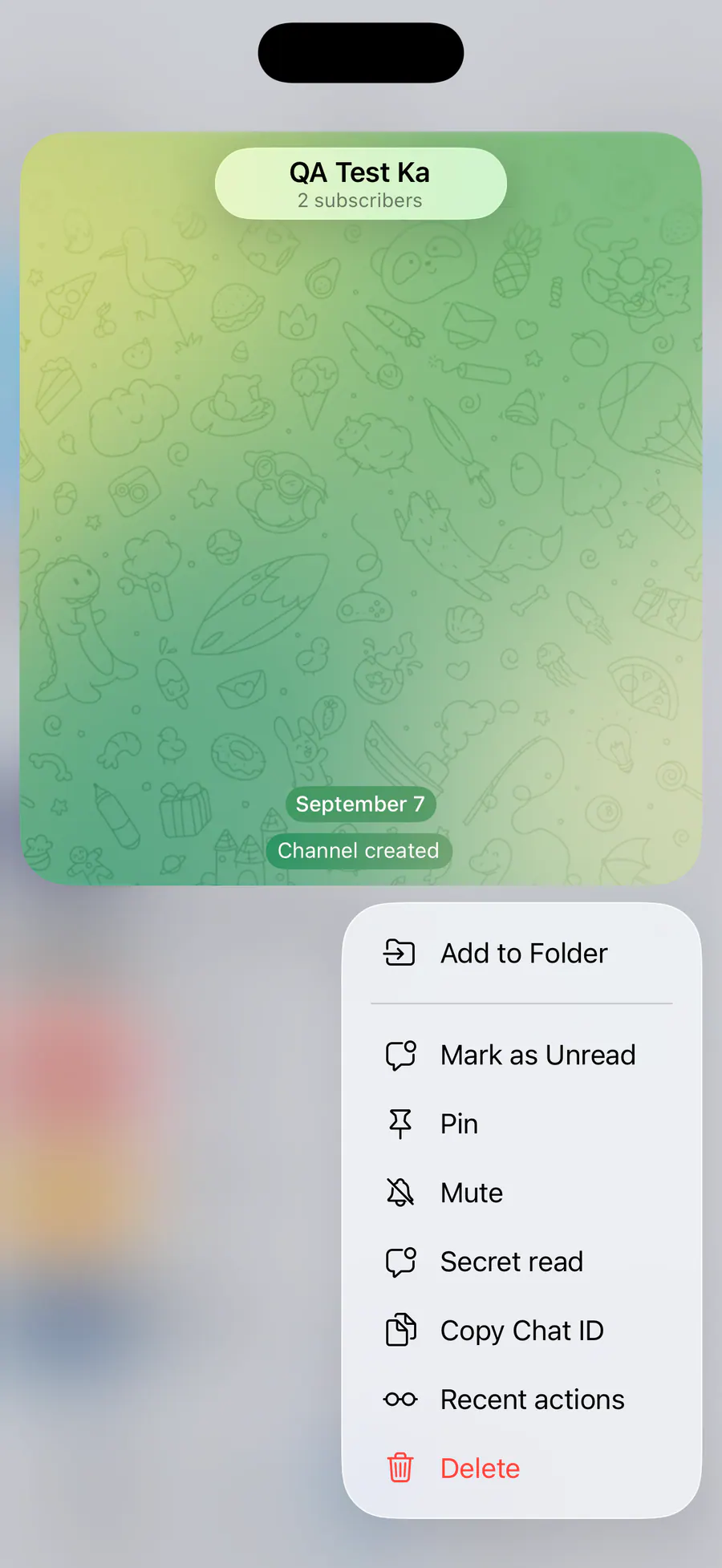
Step by step: the red frame shows where to tap.
Long-press a chat → “Copy Chat ID”
1 / 2
Benefits
Exact ID
For bots and services
Fast
No need to open the profile
No typos
No copying by hand
How to turn it on
In your chat list, press and hold the chat you want.
Choose “Copy Chat ID” from the menu.
Result
The chat ID is copied, ready to paste anywhere.
Card to share
A ready-made image to explain the feature to your friends.
WebP, 1800×1234Download the card