Always-On Extras
Novagram Bots
Useful bots in one place
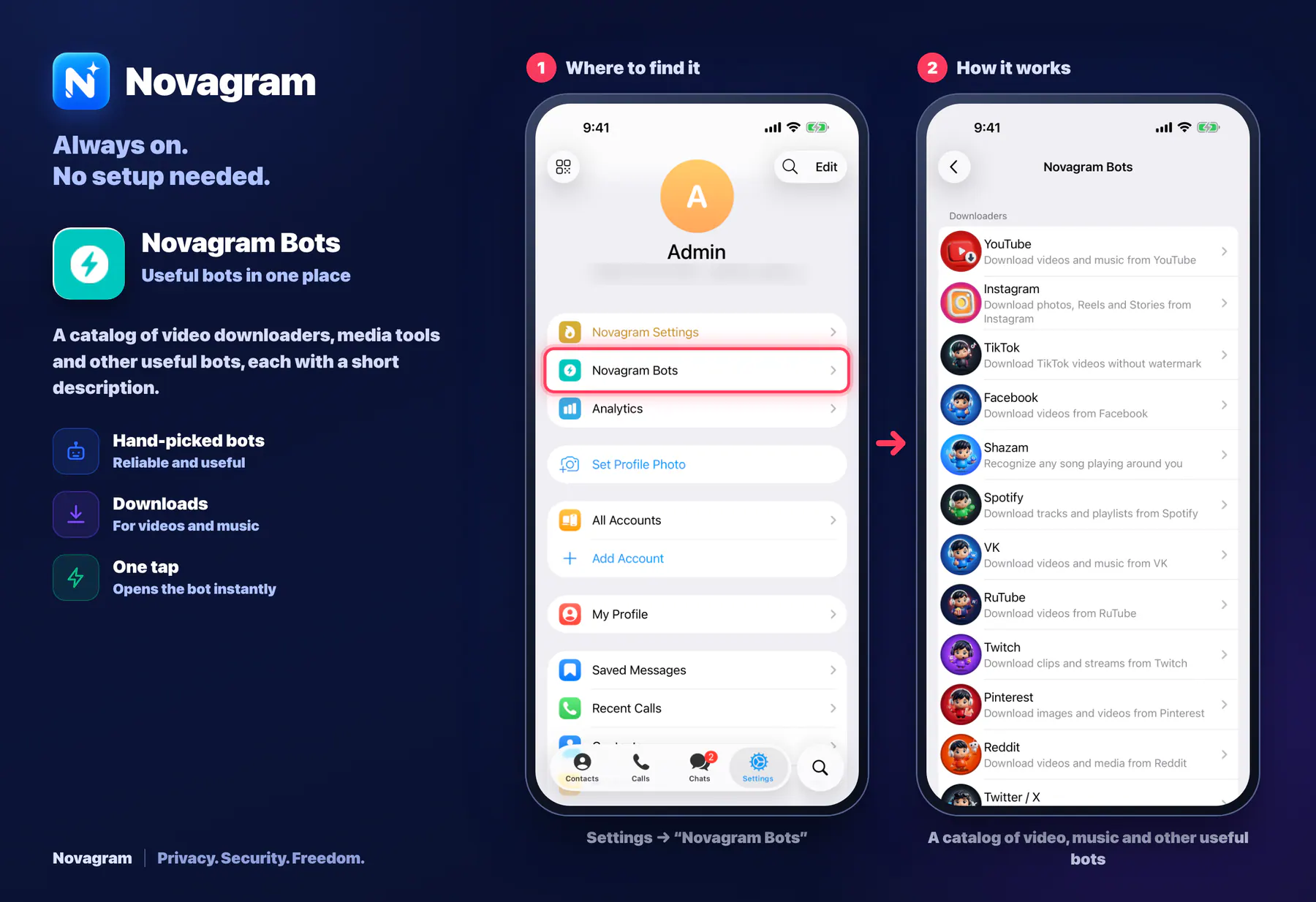
A catalog of video downloaders, media tools and other useful bots, each with a short description.
How it looks in the app
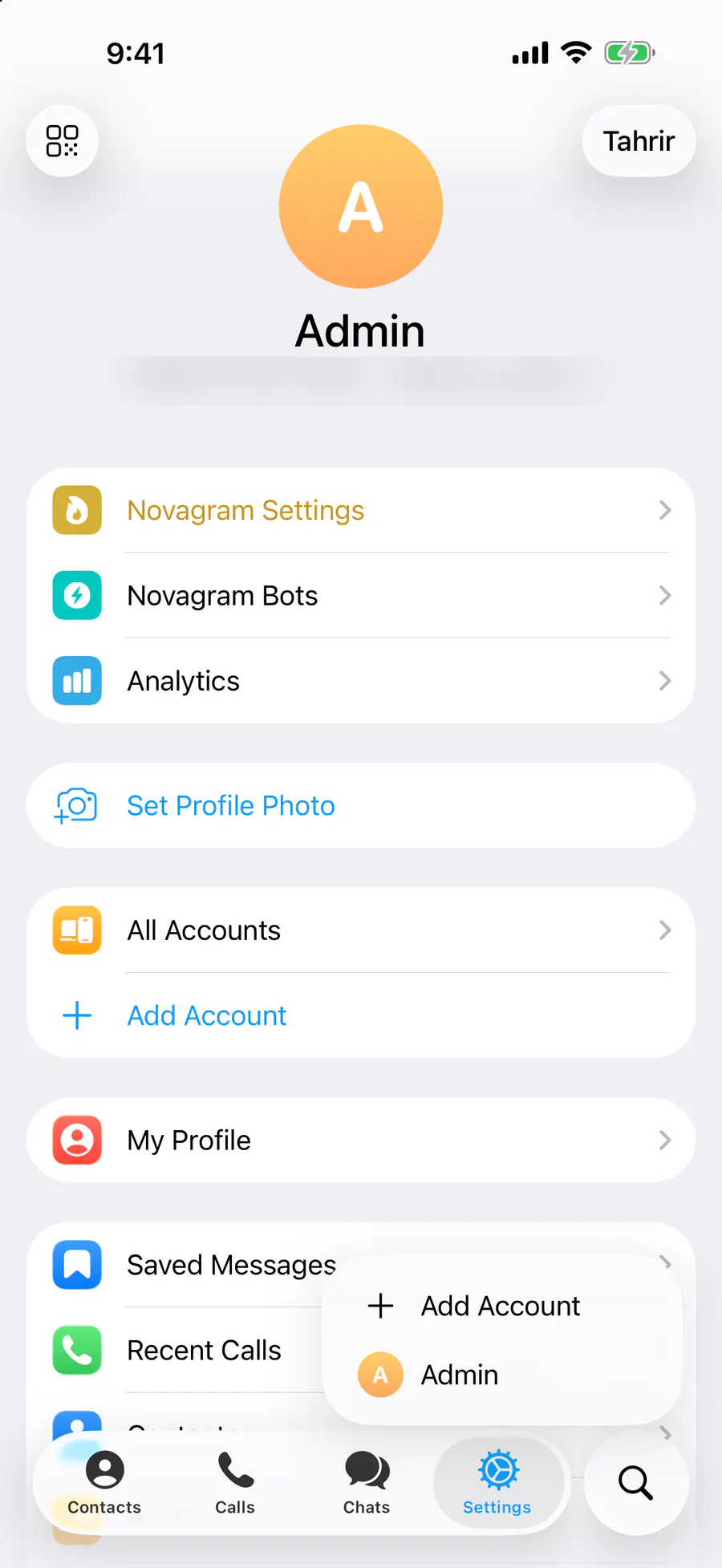
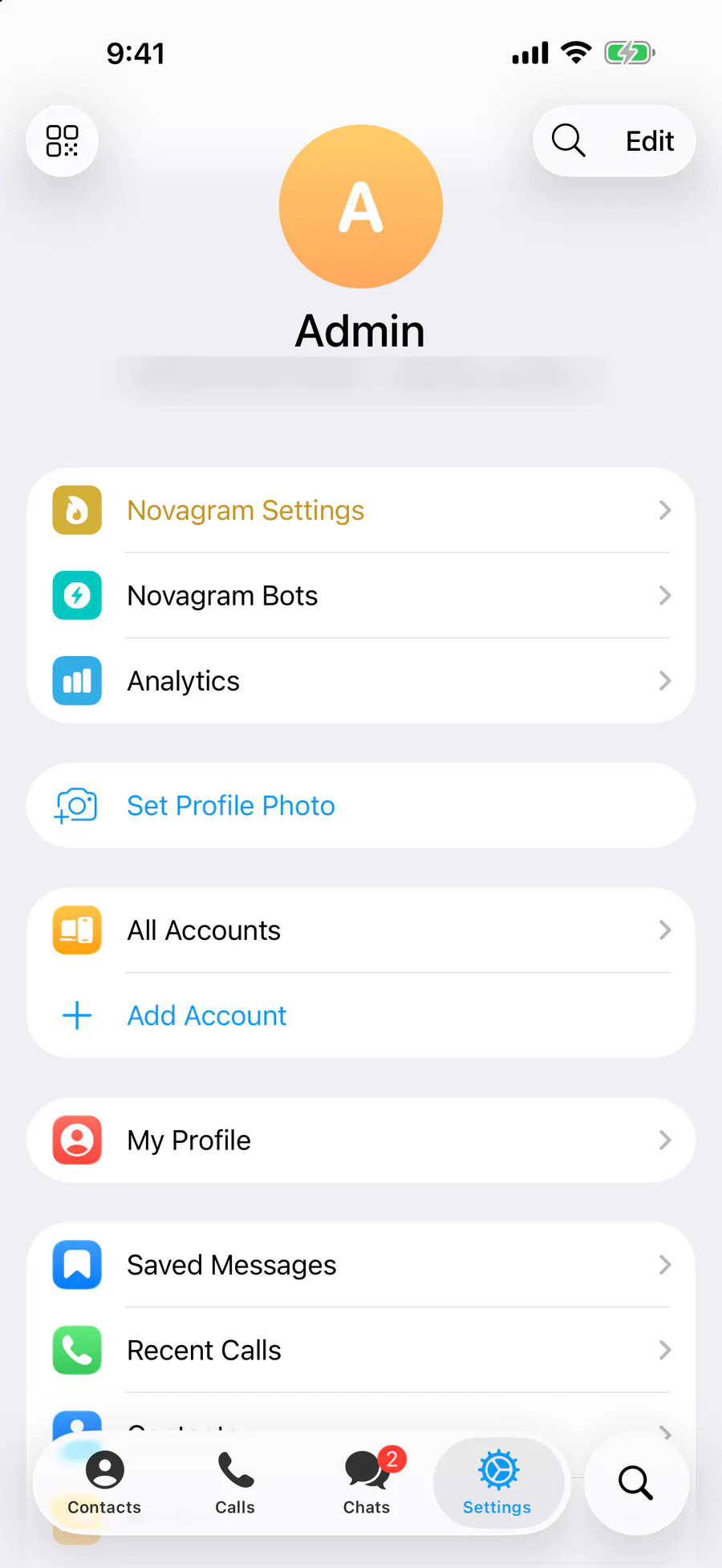
Step by step: the red frame shows where to tap.
Settings → “Novagram Bots”
1 / 2
Benefits
Hand-picked bots
Reliable and useful
Downloads
For videos and music
One tap
Opens the bot instantly
How to turn it on
Tap “Settings” at the bottom of the screen.
Tap the “Novagram Bots” row.
Result
The bot list opens. Tap the bot you need.
Steps in screenshots
Each screenshot marks the right spot with a red frame. Tap to enlarge.
Card to share
A ready-made image to explain the feature to your friends.
WebP, 1800×1234Download the card