Ghost Mode
Read without being seen
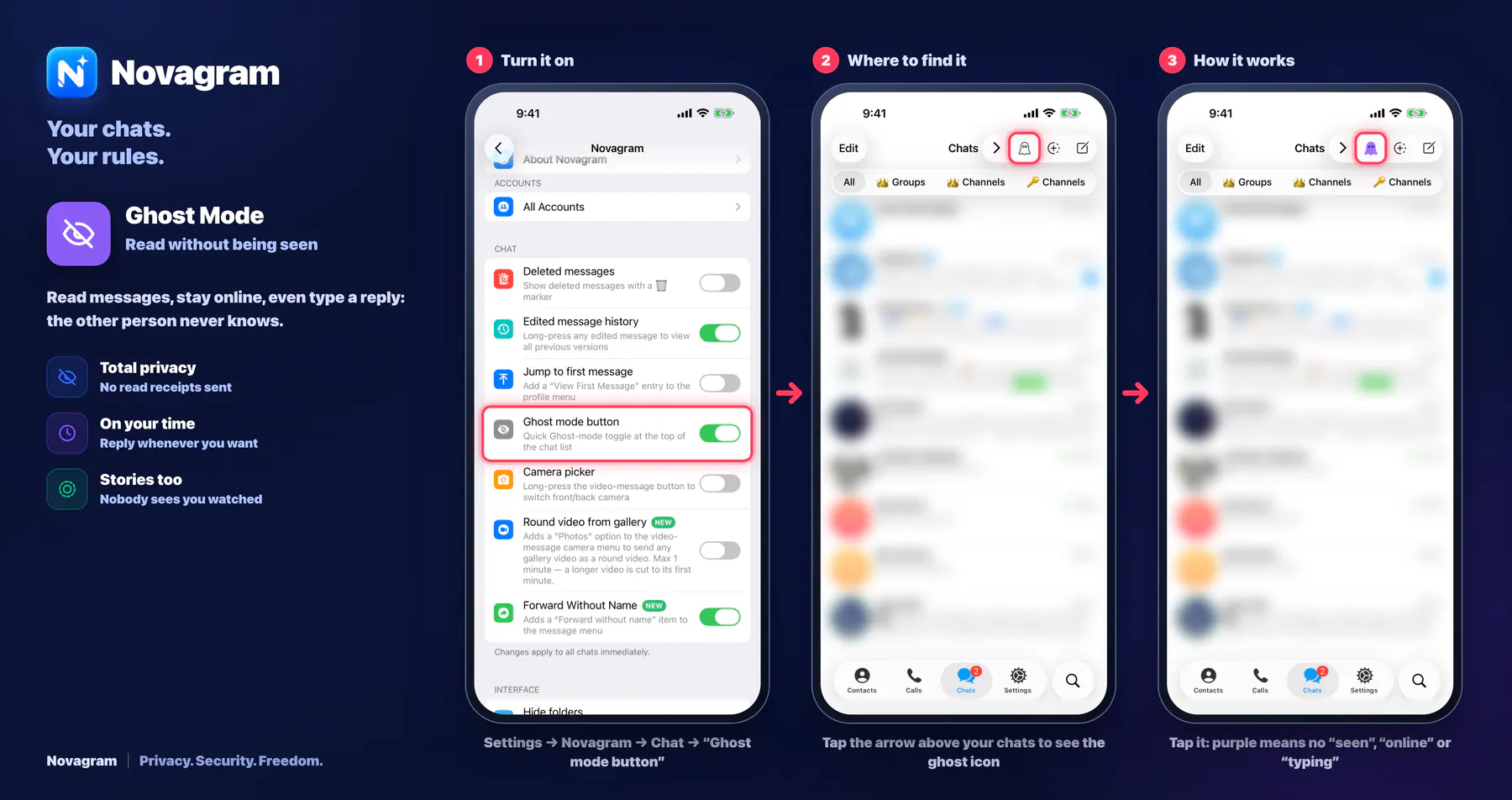
Read messages, stay online, even type a reply: the other person never knows.
Opens this setting on a phone with Novagram installed
How it looks in the app
Step by step: the red frame shows where to tap.
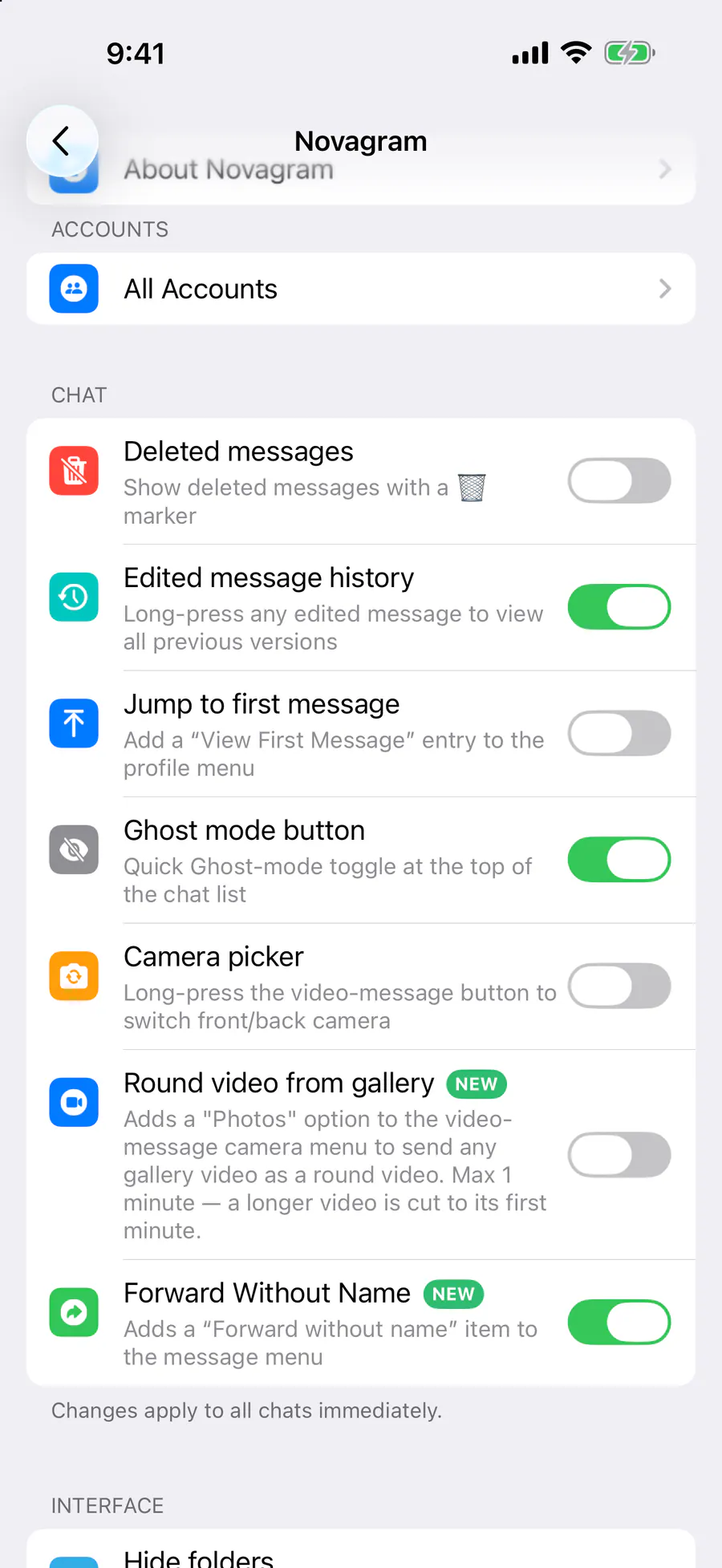
Settings → Novagram → Chat → “Ghost mode button”
Benefits
Total privacy
No read receipts sent
On your time
Reply whenever you want
Stories too
Nobody sees you watched
How to turn it on
Tap “Settings” at the bottom of the screen.
Tap the gold “Novagram Settings” row.
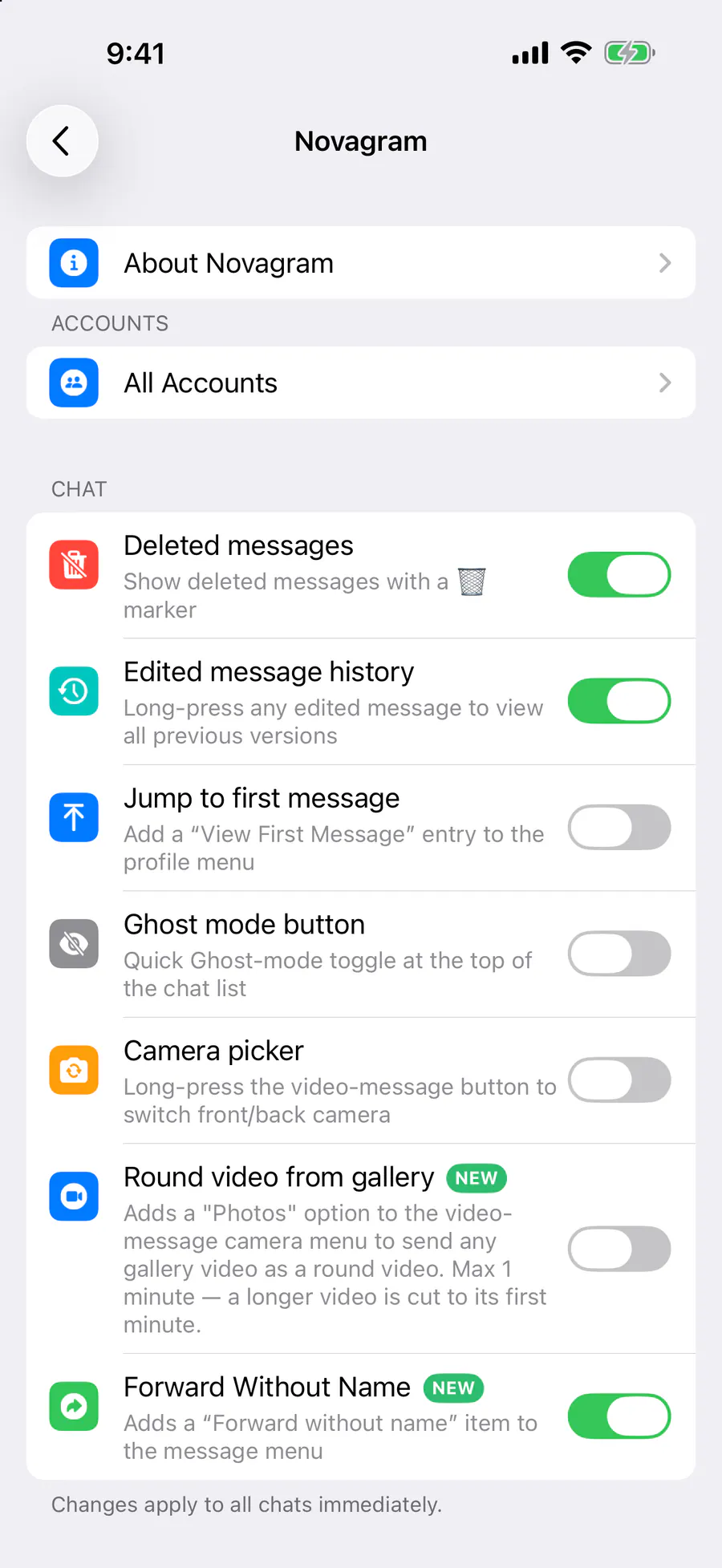
In the Chat section, turn on “Ghost mode button”.
Go back to “Chats” and tap the “‹” arrow at the top to reveal extra buttons.
Tap the ghost icon.
Result
When the ghost icon turns purple, Ghost Mode is on: no “seen”, “online” or “typing” status is sent.
Steps in screenshots
Each screenshot marks the right spot with a red frame. Tap to enlarge.
Card to share
A ready-made image to explain the feature to your friends.