Chat
Jump to First Message
Back to the very start in one tap
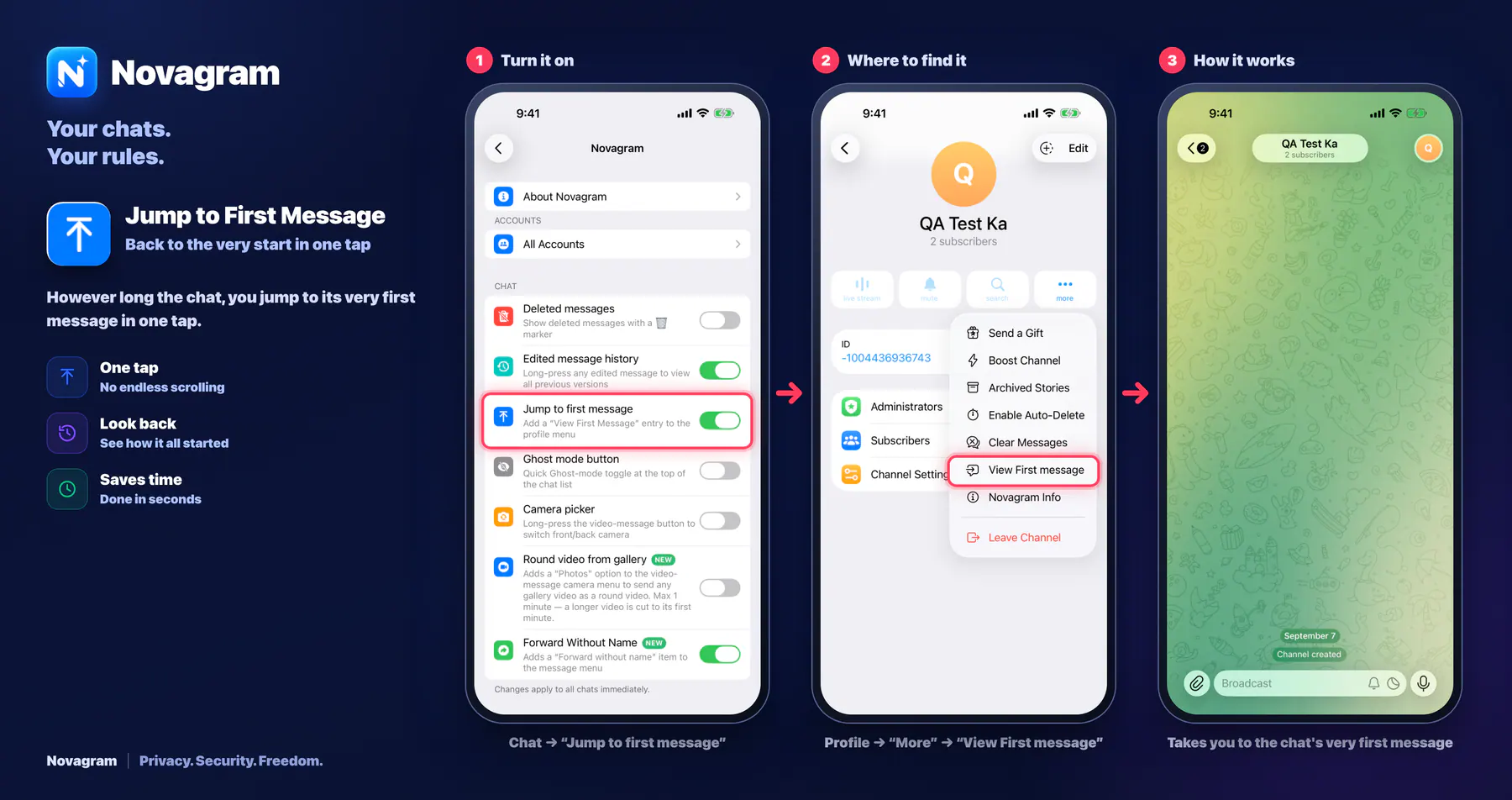
However long the chat, you jump to its very first message in one tap.
Opens this setting on a phone with Novagram installed
How it looks in the app
Step by step: the red frame shows where to tap.
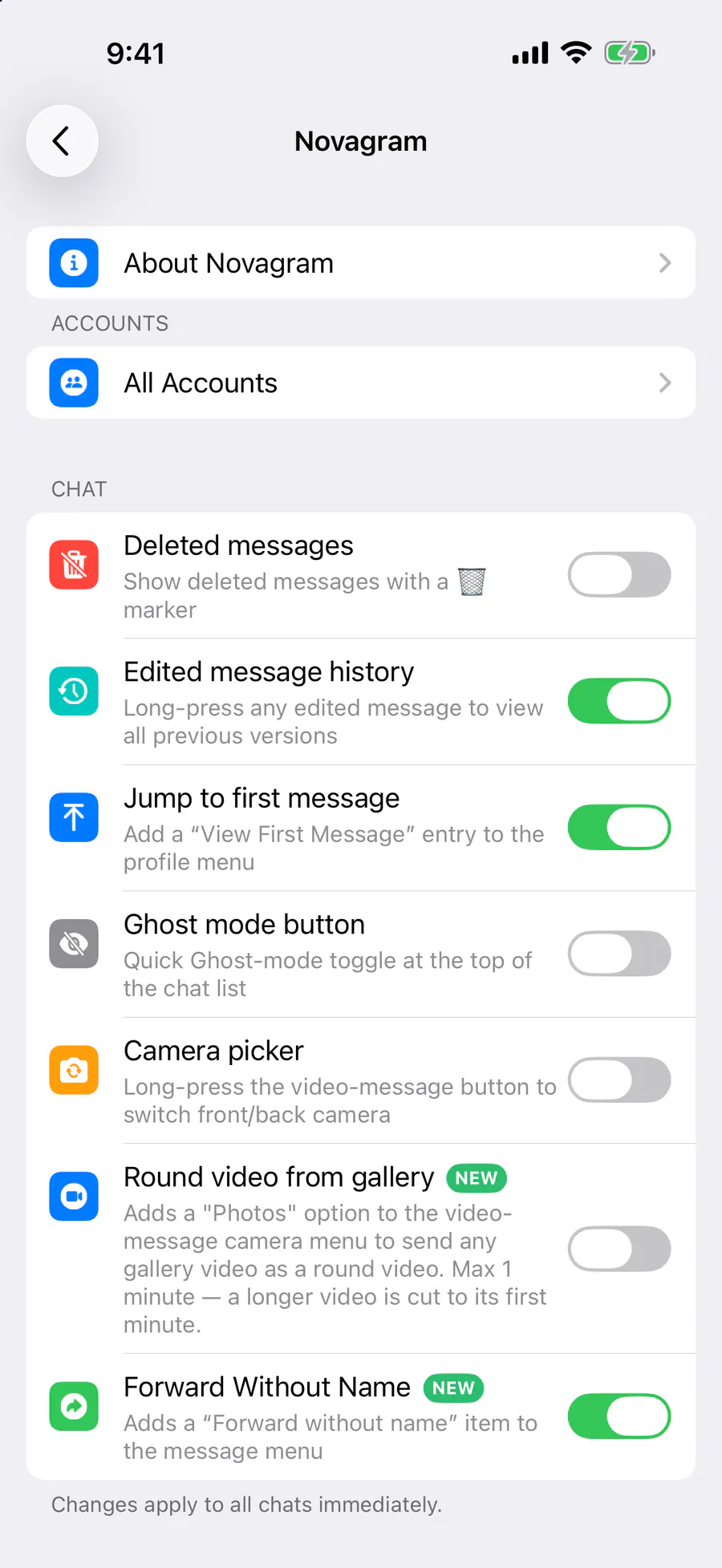
Chat → “Jump to first message”
1 / 3
Benefits
One tap
No endless scrolling
Look back
See how it all started
Saves time
Done in seconds
How to turn it on
Tap “Settings” at the bottom of the screen.
Tap the gold “Novagram Settings” row.
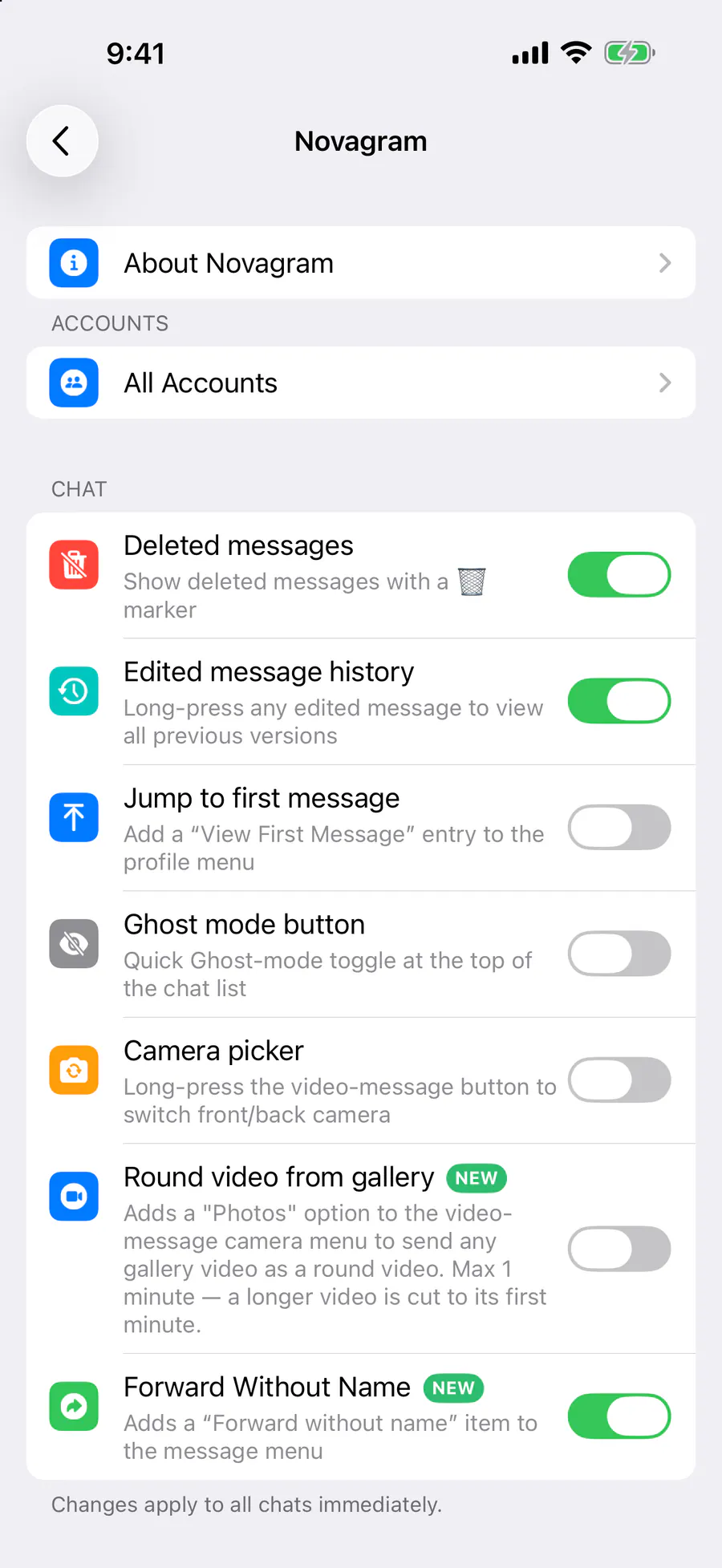
In the Chat section, turn on “Jump to first message”.
In a chat, press and hold the profile picture at the top → “View First message”.
Result
The chat opens at its very first message.
Steps in screenshots
Each screenshot marks the right spot with a red frame. Tap to enlarge.
Card to share
A ready-made image to explain the feature to your friends.
WebP, 1800×952Download the card