App
App Icons
7 Nova icons
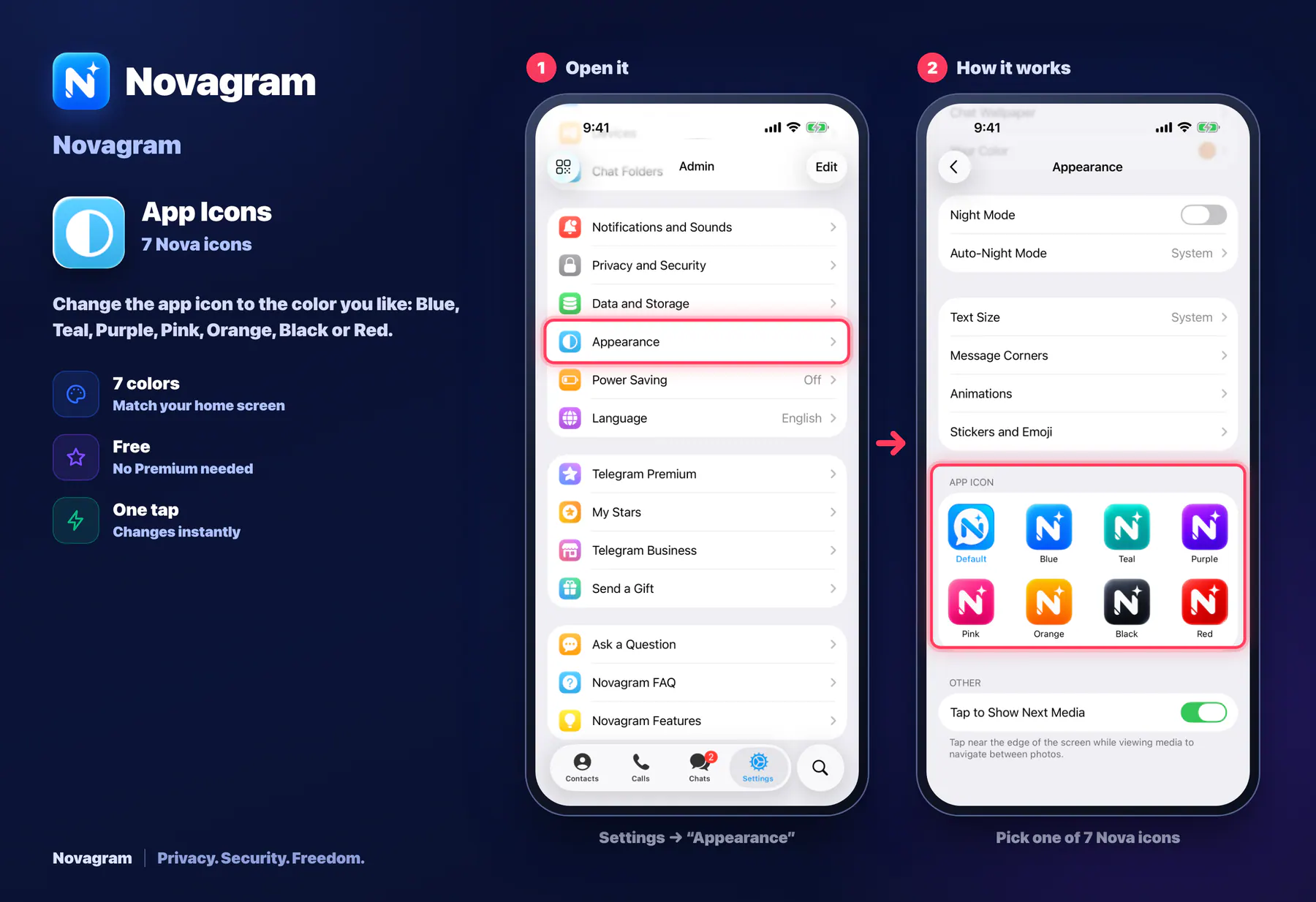
Change the app icon to the color you like: Blue, Teal, Purple, Pink, Orange, Black or Red.
How it looks in the app
Step by step: the red frame shows where to tap.
Settings → “Appearance”
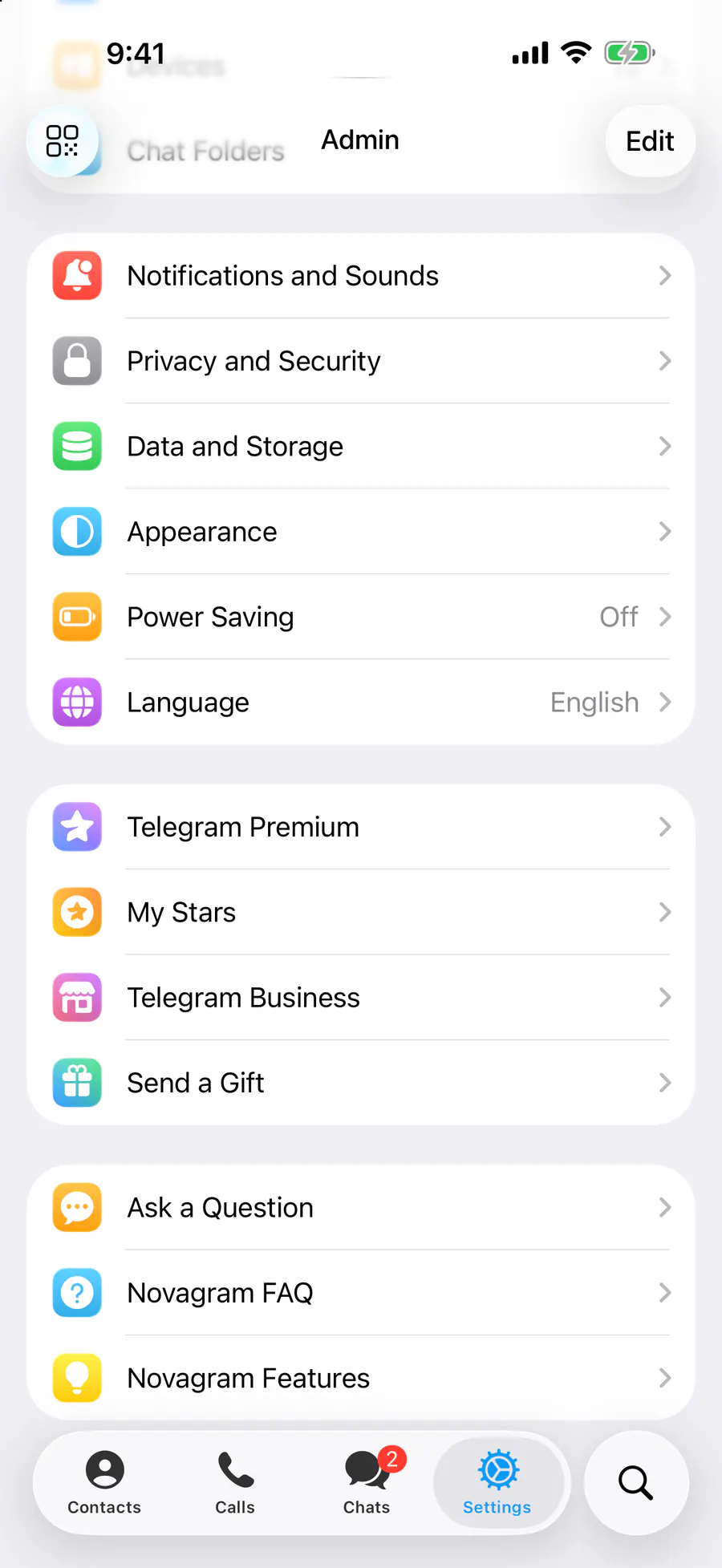
1 / 2
Benefits
7 colors
Match your home screen
Free
No Premium needed
One tap
Changes instantly
How to turn it on
Tap “Settings” at the bottom of the screen.
Tap “Appearance”.
In the App Icon section, pick the icon you like.
Result
The Novagram icon on your home screen changes to that color.
Steps in screenshots
Each screenshot marks the right spot with a red frame. Tap to enlarge.
Card to share
A ready-made image to explain the feature to your friends.
WebP, 1800×1234Download the card