App
Analytics
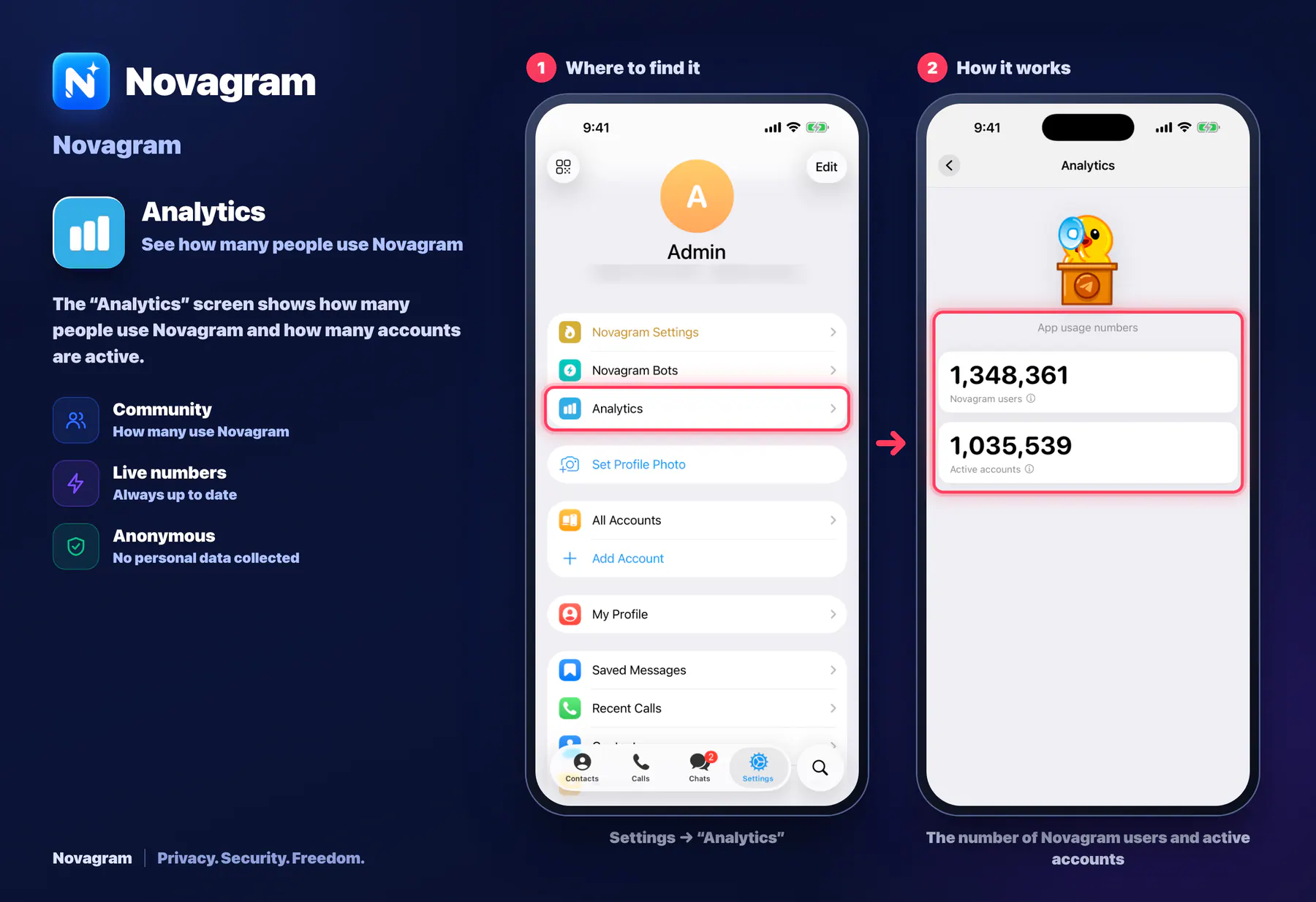
See how many people use Novagram
The “Analytics” screen shows how many people use Novagram and how many accounts are active.
How it looks in the app
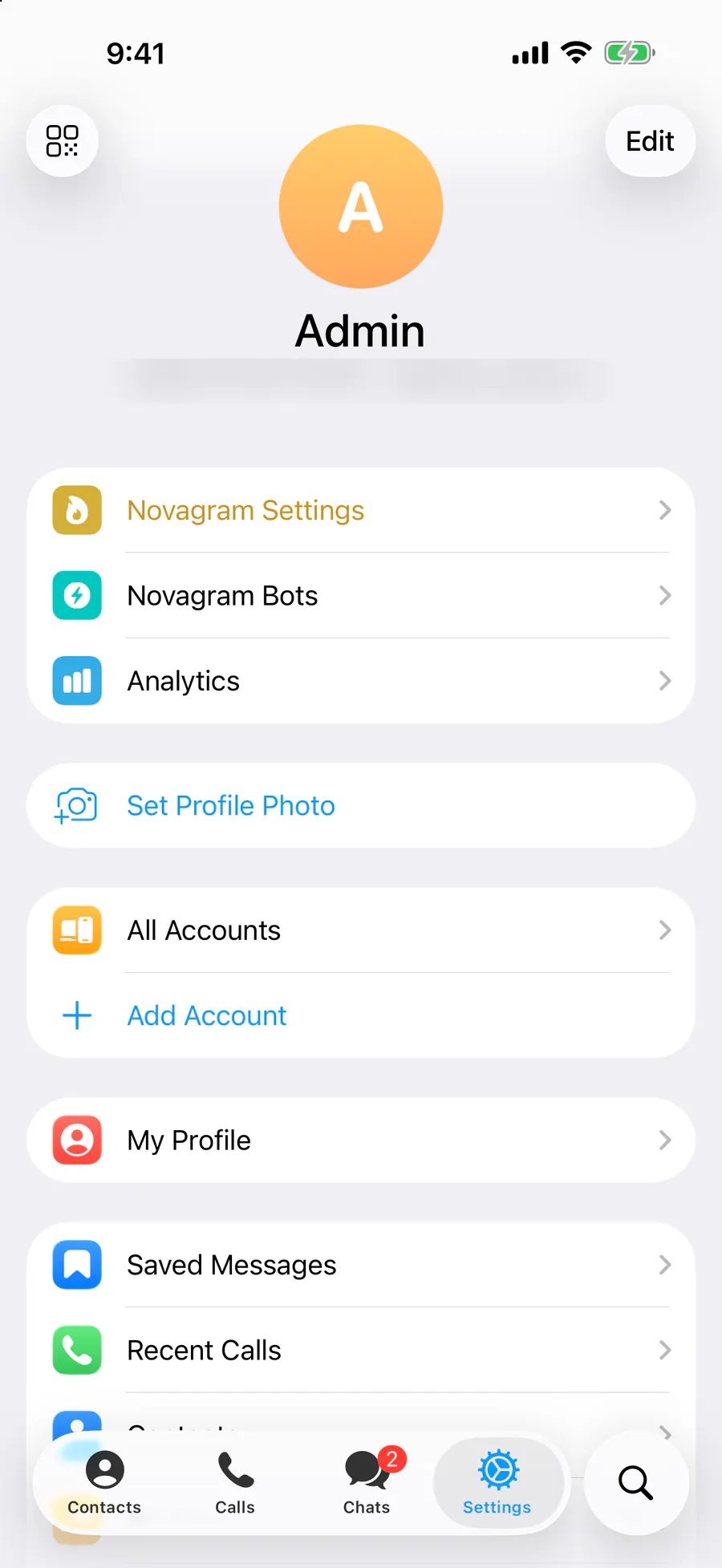
Step by step: the red frame shows where to tap.
Settings → “Analytics”
1 / 2
Benefits
Community
How many use Novagram
Live numbers
Always up to date
Anonymous
No personal data collected
How to turn it on
Tap “Settings” at the bottom of the screen.
Tap the “Analytics” row.
Result
You see the number of users and active accounts.
Steps in screenshots
Each screenshot marks the right spot with a red frame. Tap to enlarge.
Card to share
A ready-made image to explain the feature to your friends.
WebP, 1800×1234Download the card