App
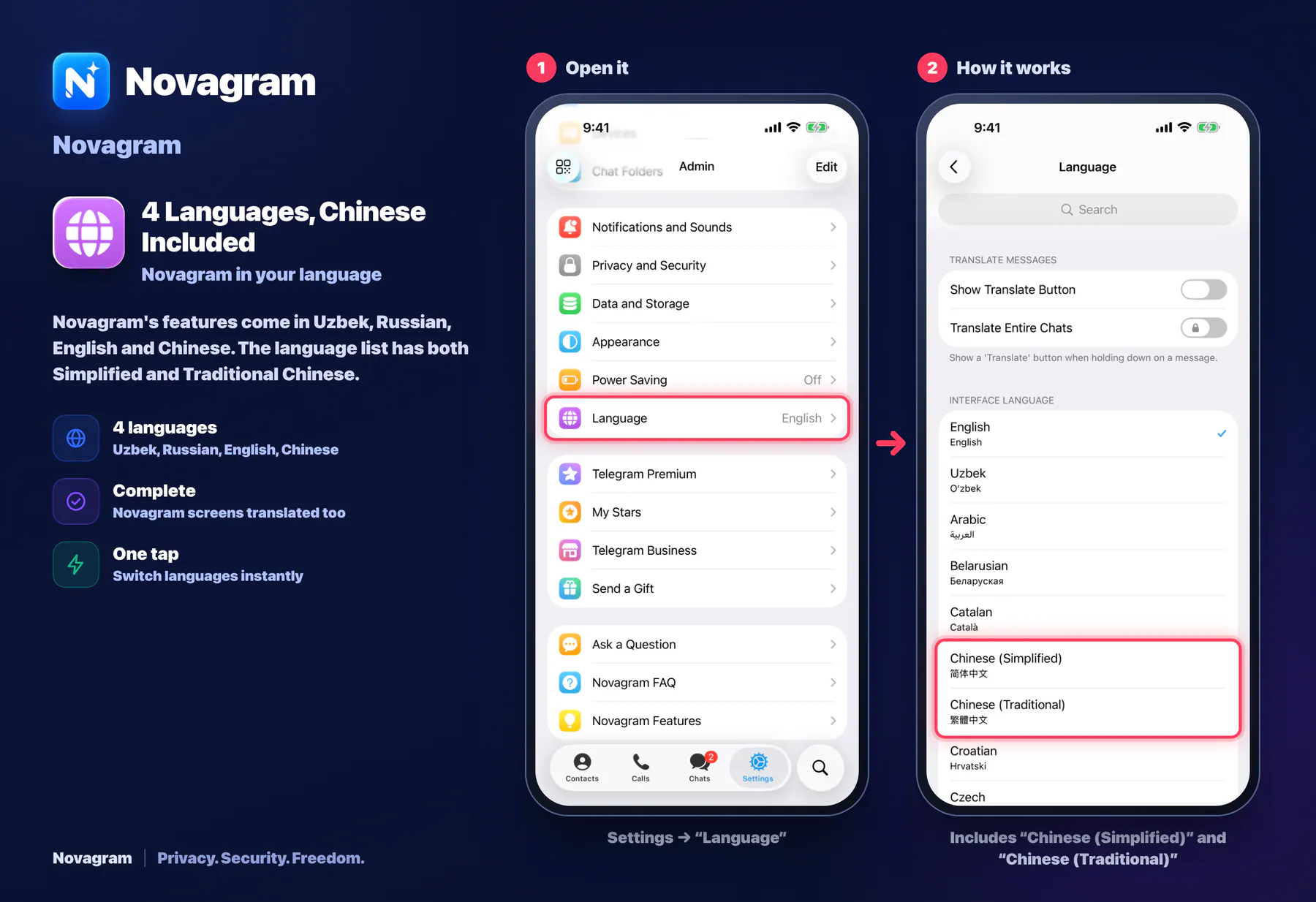
4 Languages, Chinese Included
Novagram in your language
Novagram's features come in Uzbek, Russian, English and Chinese. The language list has both Simplified and Traditional Chinese.
How it looks in the app
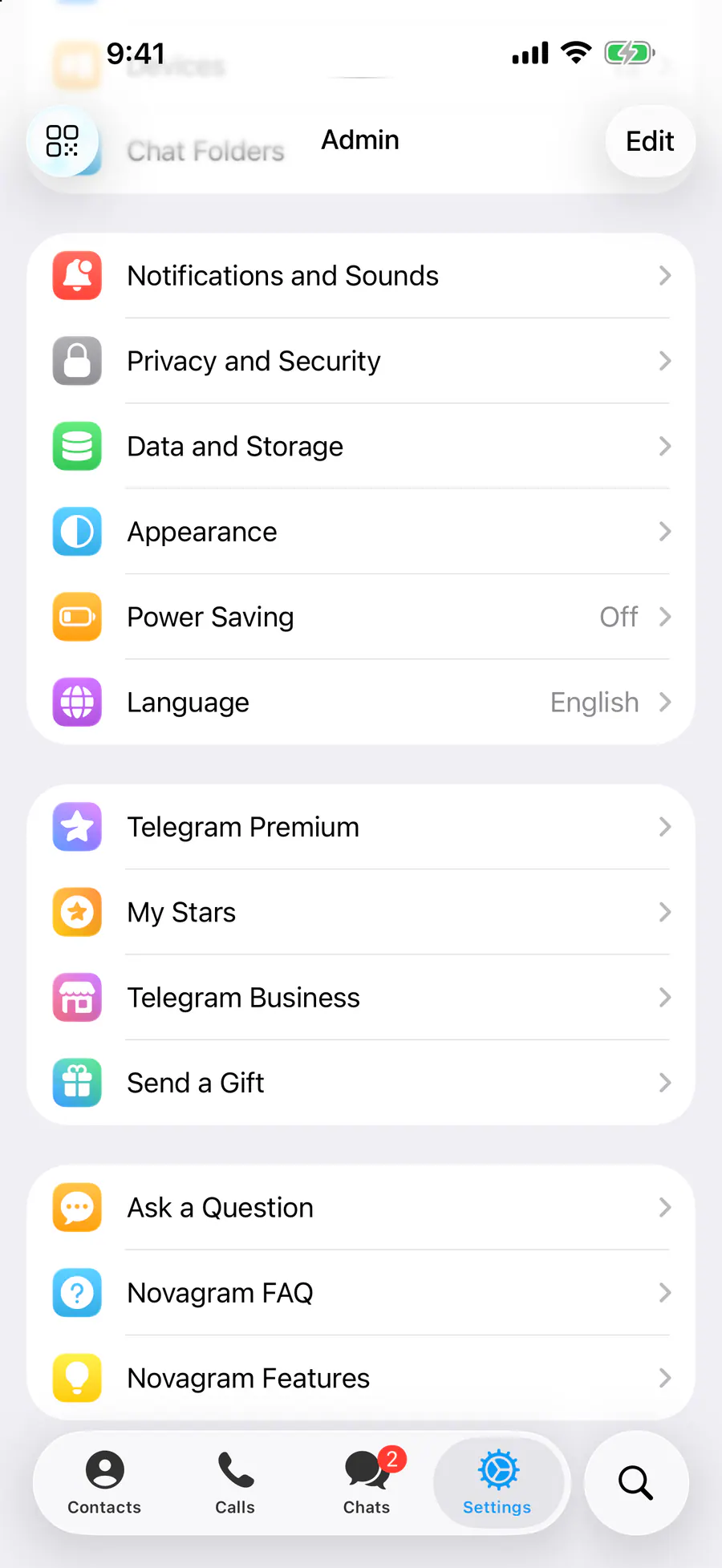
Step by step: the red frame shows where to tap.
Settings → “Language”
1 / 2
Benefits
4 languages
Uzbek, Russian, English, Chinese
Complete
Novagram screens translated too
One tap
Switch languages instantly
How to turn it on
Tap “Settings” at the bottom of the screen.
Tap “Language” and choose a language.
Result
The app switches to that language, Novagram screens included.
Steps in screenshots
Each screenshot marks the right spot with a red frame. Tap to enlarge.
Card to share
A ready-made image to explain the feature to your friends.
WebP, 1800×1234Download the card