Login
Bot Token Login
Chat as your bot
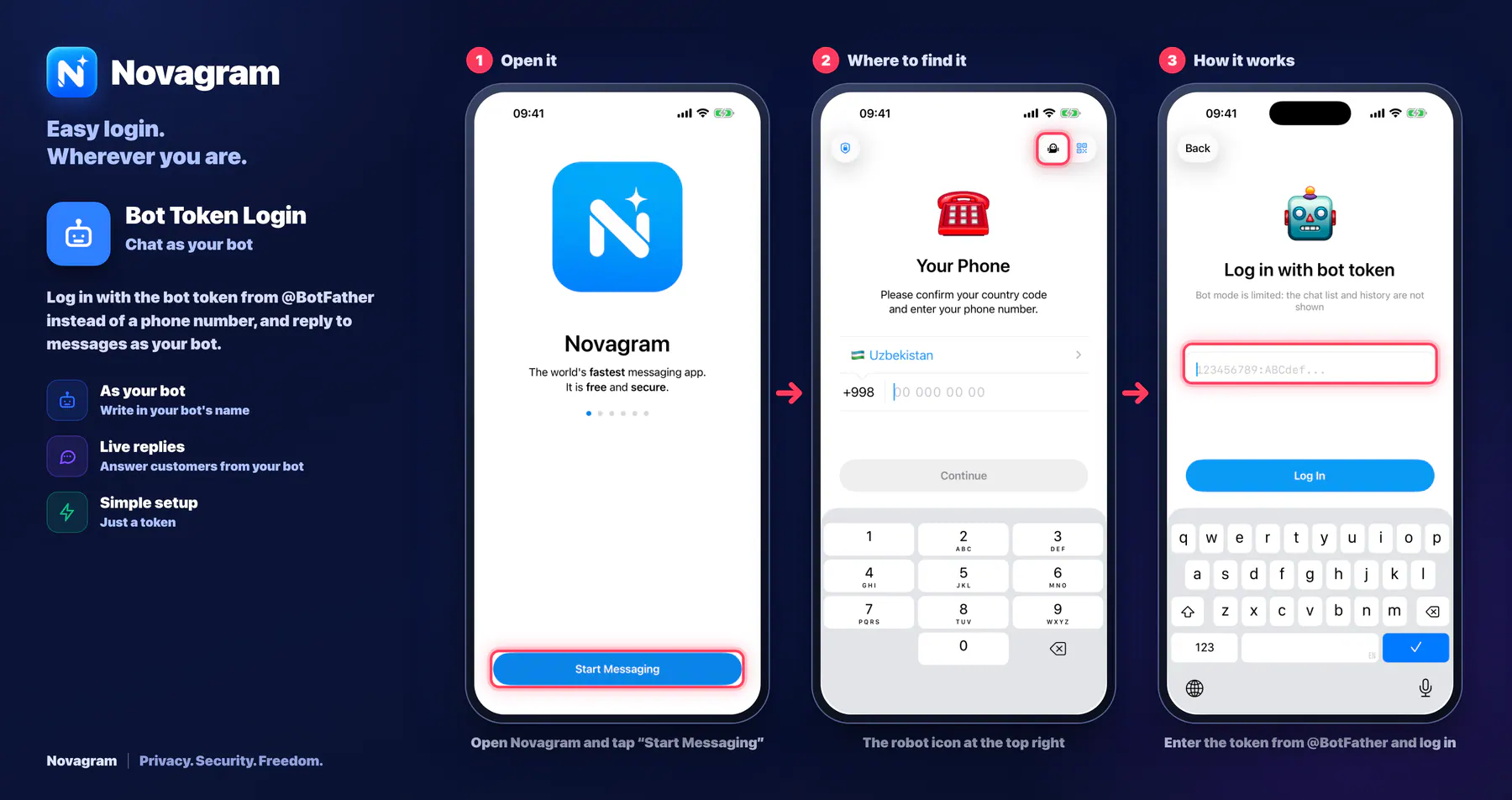
Log in with the bot token from @BotFather instead of a phone number, and reply to messages as your bot.
How it looks in the app
Step by step: the red frame shows where to tap.
Open Novagram and tap “Start Messaging”
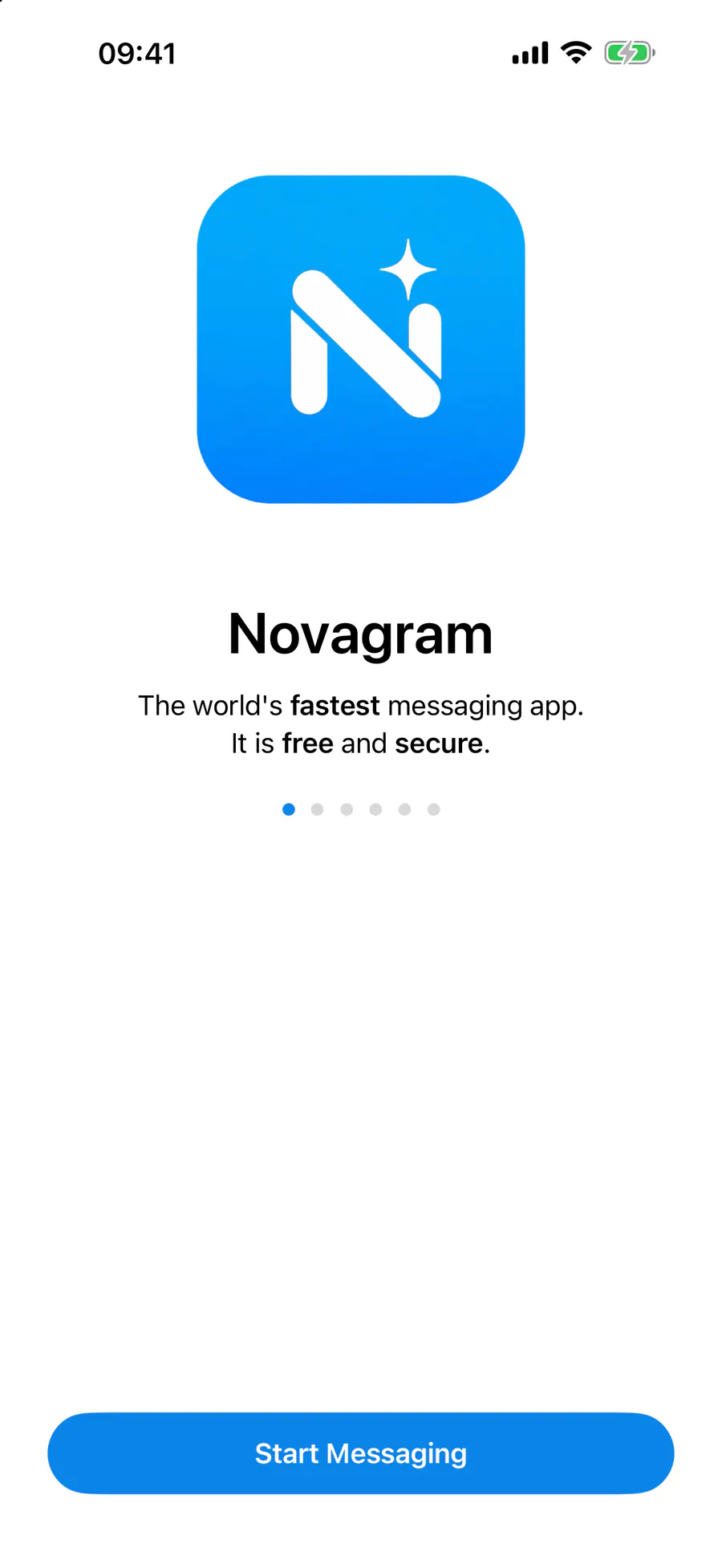
1 / 3
Benefits
As your bot
Write in your bot's name
Live replies
Answer customers from your bot
Simple setup
Just a token
How to turn it on
Open Novagram and tap “Start Messaging”.
On the “Your Phone” screen, tap the robot icon at the top right.
On the bot token screen, enter the token @BotFather gave you and tap the button below to log in.
Result
You're logged in as the bot: new messages to the bot show up in “Chats” (older conversations don't).
Steps in screenshots
Each screenshot marks the right spot with a red frame. Tap to enlarge.
Card to share
A ready-made image to explain the feature to your friends.
WebP, 1800×952Download the card